Closet Apps, Compared: Which One Actually Helps You Get Dressed?
Let’s be honest:
Getting dressed can feel like a full-body executive function workout. Especially if you're a spoonie, like I am.
You own clothes. You like some of them. And yet… you’re staring into your closet like it personally betrayed you.
Closet apps promise to help. But some are magical little helpers—and some just feel like another app you’ll forget exists.
So I did the digging for you.
Below is a real-talk comparison of popular closet apps, written by a professional organizer who works with real brains (including neurodivergent ones). No shame. No “just be more disciplined.” Just what actually works.
What Makes a Closet App ND-Friendly?
Before we compare, here’s what I care about when recommending tools to clients:
Low setup friction (easy to setup and easy to use)
Visual calm (not visual chaos)
Decreases the effort required to get dressed
Helpful nudges, not guilt
Flexibility (you won’t “fail” if you forget the app exists)
Actual usefulness in daily life
What I Tested:
Who it’s actually best for
How hard it is to add items (time + effort)
Whether it auto-imports purchases (receipts, emails, etc.)
Photo cleanup help (background removal, cleanup, polish)
Free/Paid features
How it behaves with large closets
ND-friendliness (overwhelm level, clarity, flexibility)
Now let’s talk apps.
Dressed (trydressed-com)
Best for: People who want help getting dressed—not just another digital closet.
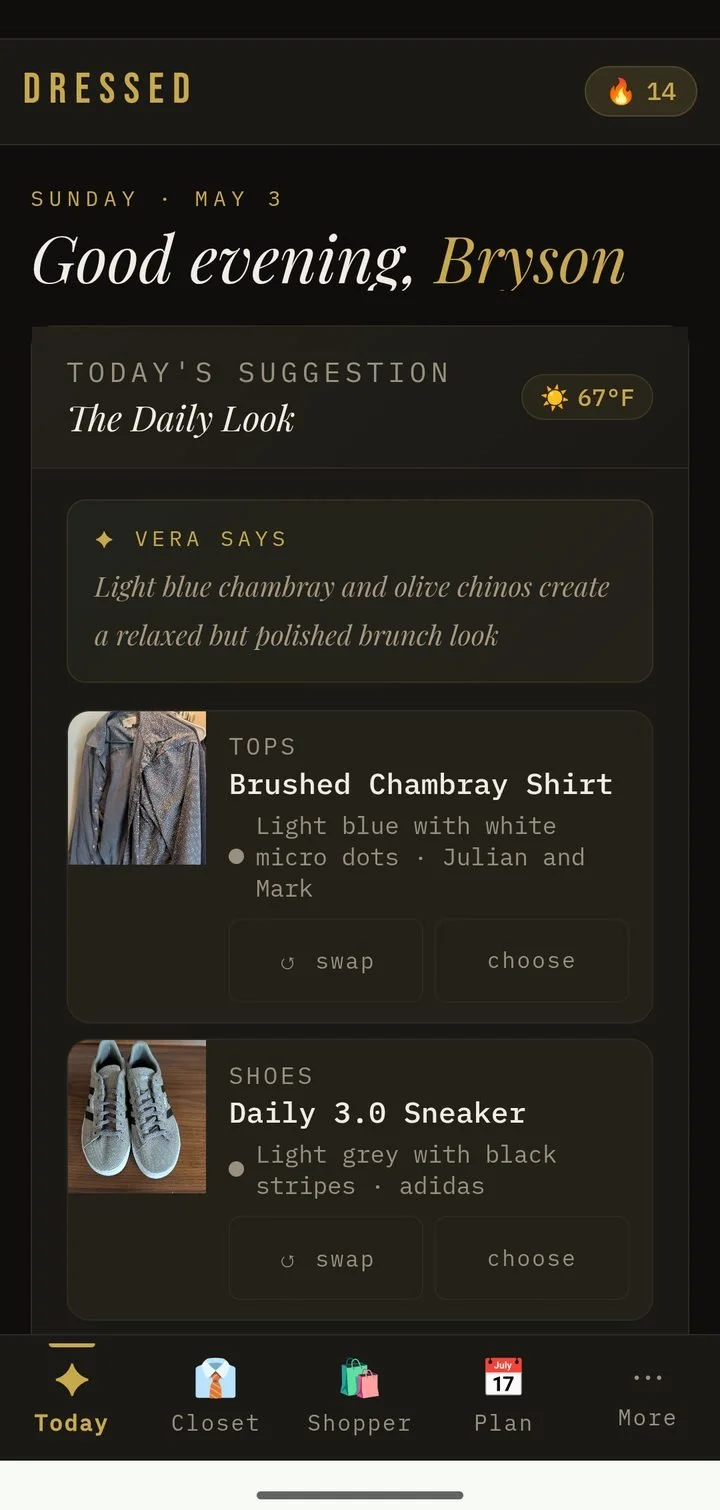
Most closet apps focus on cataloging your wardrobe. DRESSED takes a different approach. Its AI stylist, Vera, is designed to help you actually use your closet by creating outfit suggestions based on your clothes, the weather, your schedule, your wear history, and your personal preferences.
Instead of being just a place to store photos of your clothing, DRESSED aims to reduce one of the biggest problems many people have: the daily decision of figuring out what to wear.
One thing I immediately appreciated is that DRESSED is browser-based rather than a traditional app. That means it works whether you're an iPhone user, Android user, or prefer working from a tablet, laptop, or desktop. Your closet is accessible wherever you need it.
Adding Items
⏱ Time per item: Around 15–30 seconds, depending on upload method
DRESSED gives you multiple ways to add clothing:
Take a photo
Upload an existing photo
Add an item through a URL
Manually enter details
Having multiple upload options is a huge plus because building a digital closet can be the biggest barrier for most people. I personally love URL uploads because they save me time.
One of my favorite setup features was the automatic duplicate detection. Duplicate clothing entries are a common problem with closet apps, and having Vera catch those before they clutter your wardrobe is a major win. I can’t even tell you the number of times I realized I accidentally added in a shirt three times instead of just once. Vera solves that automatically.
A few setup details still need refinement. AI-generated clothing information can sometimes be overly specific, especially with colors. For a wardrobe database, simple categories are usually better because they make filtering easier. A color field should help you find "yellow shirts," not create dozens of variations like "warm golden yellow with tan accents." However, the developer has since fixed this bug! It works great now.
Auto-Upload Purchases?
🟡 Partial.
DRESSED makes adding purchases easier through URL uploads, which can save time when adding items bought online. However, it does not currently offer automatic purchase importing through email or receipts.
Photo Help?
✅ Yes.
DRESSED uses AI to help clean up clothing photos by removing backgrounds and creating a more consistent-looking wardrobe.
The AI does a good job identifying items, although I found some automatically generated details needed simplifying. A closet database works best when information is easy to search and filter.
Standout Features
Outfit Suggestions: This is where DRESSED really stands out. Vera doesn't just suggest outfits—she explains why she chose them. I loved the combination of weather information, outfit reasoning, and the "How does this make you feel?" check-in. It adds a more personal element than many other closet apps. Because at the end of the day, your clothes should make you feel like YOU - happy and comfortable. I'd love to see the outfit suggestions become more visual in the future, with more mix-and-match styling options. Bryson has said he will be implementing a Shoplook-style creative styling board in the future, so I’m excited to see that!
Closet Cleanout: As a professional organizer, I was especially impressed with Vera's Closet Cleanout. I’ve never seen a closet app do this before! Instead of simply telling you what to donate, Vera explains the reasoning behind her suggestions, helping you make more thoughtful decisions about what stays and what goes. This is a great example of AI being used to reduce the emotional overwhelm that often comes with decluttering.
Packing & Planning: The Pro version adds features like weekly outfit planning, calendar integration, and trip packing. The packing feature is simple and useful: enter your destination, trip length, and activities, and Vera creates a packing list. Weekly planning is also a great concept for reducing daily decision fatigue.
Analytics / Insights
✅ Included.
DRESSED tracks wear history, cost per wear, and wardrobe usage.
My favorite feature is the "never worn" section, where Vera suggests outfits using pieces that have been sitting unused. This is exactly the kind of feature that helps people shop their own closets instead of buying more.
I'd love to see even more analytics added over time, such as most-worn brands, spending patterns, and deeper wardrobe trends.
Free vs Paid
🆓 Free
Full digital closet
Around 30 outfit recommendations per month
AI wardrobe organization
AI shopping recommendations
💰 Pro ($8/month or $80/year)
Unlimited daily outfit suggestions
Weekly outfit planning
Trip packing lists
Google Calendar integration
Additional planning features
Upload Limits
❌ No publicly documented clothing-item limit.
Unlike some apps that restrict free users to a certain number of items, DRESSED's free tier focuses more on limiting AI features rather than the size of your wardrobe.
ND Reality Check
For anyone who struggles with decision fatigue, DRESSED has a lot of potential. It doesn't just store your clothes—it helps reduce the daily mental load of deciding what to wear.
The combination of AI outfit suggestions, weather awareness, wear history, and personalized preferences makes it feel more like a styling assistant than a simple closet catalog.
A Note From My Testing
I tested DRESSED extensively and sent the developer a long list of feedback covering usability, organization, AI suggestions, and missing features.
What impressed me most was how responsive he was. He listened, implemented many suggestions, and clearly cares about improving the experience for real users.
That level of communication is rare. As someone who reviews organizational tools professionally, I know how valuable it is when developers actively listen to the people using their products.
DRESSED feels like an app that is still evolving, and that gives me confidence it will continue improving over time.
Pros
✅ AI outfit suggestions based on your actual closet
✅ Excellent duplicate detection
✅ Thoughtful AI explanations behind recommendations
✅ Favorite feature: Closet Cleanout
✅ Encourages using items you already own
✅ Works across devices
✅ Responsive developer who actively improves the app
Cons
❌ AI-generated details sometimes need refinement
❌ More advanced filtering and categories would improve organization
❌ Outfit planning could use more visual styling tools
❌ Some features are still developing
Bottom line: DRESSED is one of the most promising AI-powered closet apps I've tested. It goes beyond organizing your clothes and focuses on helping you actually use them. Its biggest strength is that it feels like a tool designed to reduce the mental load of getting dressed—not just another place to store pictures of your wardrobe.

Stylebook
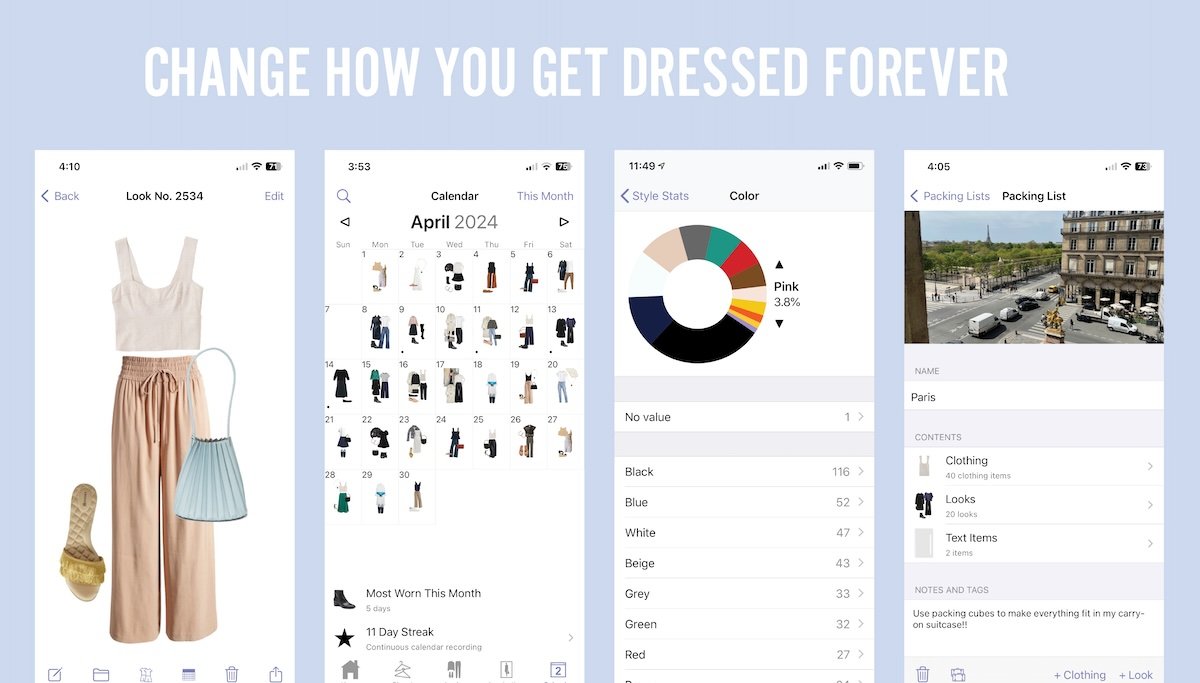
Best for: Control lovers, data brains, “I want to see EVERYTHING” people
First things first: Stylebook is iOS only. If you’re on Android, this one’s a nonstarter.
Adding Items
Time per item: ~1–2 minutes. You manually upload or photograph items, crop them, and tag everything yourself.
There’s no automation here. This is a “do it yourself, but do it exactly how you want” situation.
Auto-Upload Purchases?
❌ Nope. No email scanning. No receipt imports. Every item must be added manually.
Photo Help?
Limited. You can crop and edit, but no automatic background removal. Clean photos require effort.
Analytics / Insights
✅ Included in one-time purchase. You get: cost-per-wear, outfit tracking, packing lists, and calendars—all unlocked after purchase.
Free vs Paid
💰 Paid (one-time purchase, ~$5 USD). Once you buy it, everything is unlocked. No subscriptions, no tiers.
Upload Limits
❌ Unlimited — add as many items as you want.
ND Reality Check
If you love structure and details, this app can feel grounding.
If decision fatigue is already loud? Setup may feel overwhelming.
Pros
Extremely customizable
Excellent analytics (cost per wear, outfit tracking)
One-time payment (no ongoing subscription fees)
Cons
iPhone only
Manual EVERYTHING
Setup can feel like a project

Whering
Best for: Visual thinkers, trend lovers, “I want it to be cute” people
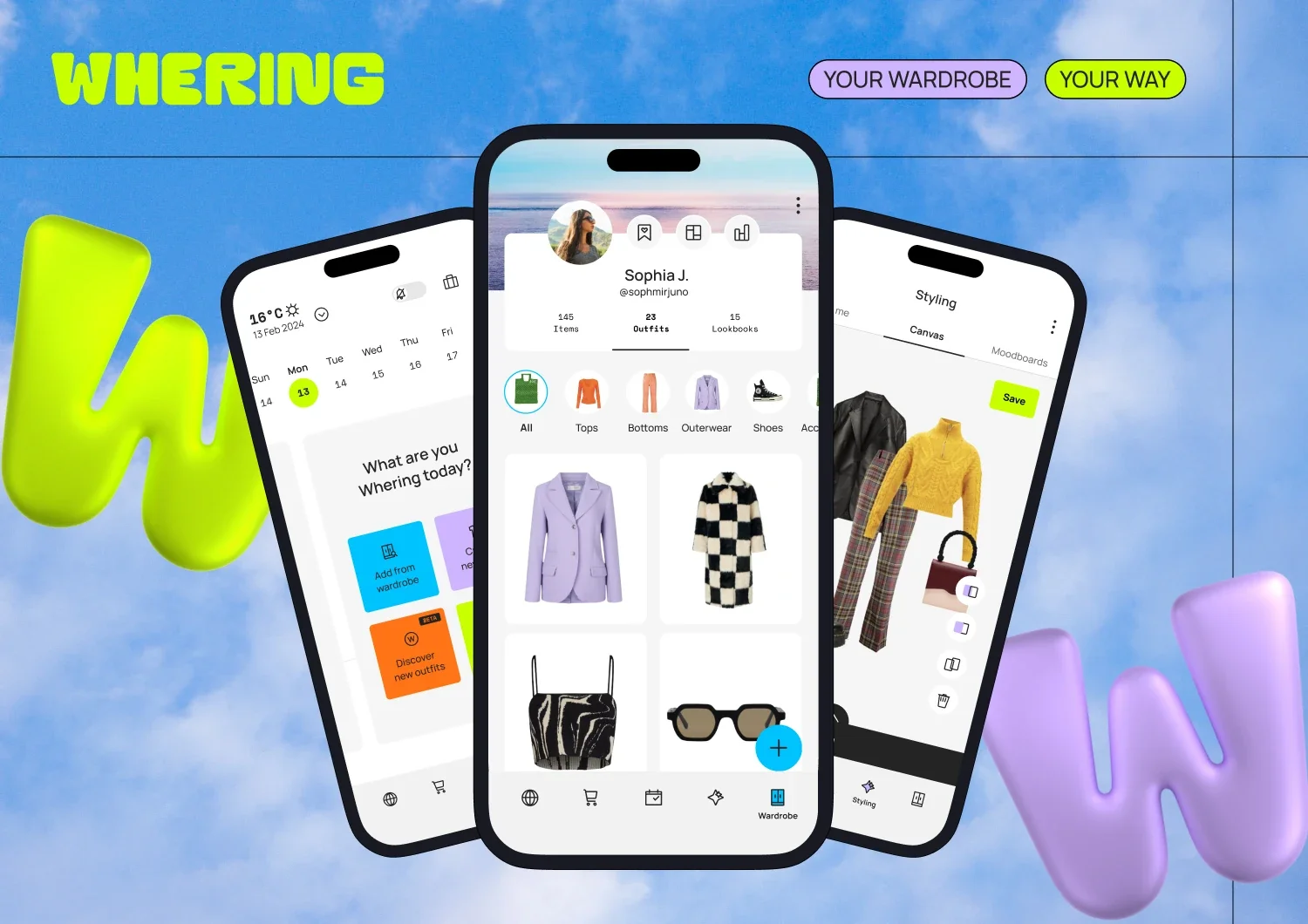
Created by a fashionista out of England, Whering is cute. It’s fun. It looks motivating.
However—real talk—it can struggle once your closet gets big.
Adding Items
⏱ Time per item: ~30–60 seconds. Manually upload photos, screenshots, or product images. You can batch upload as well. Tagging is fairly quick.
Auto-Upload Purchases?
❌ No automatic email receipt scanning. You can add items from links, which helps if you shop online.
Photo Help?
✅ Yes! Whering does automatic background removal, which makes your closet look polished without extra effort.
Analytics / Insights
💰 While Whering used to have analytics available for free, it’s now behind a paywall.
Basic outfit planning = free
Trends, wear stats, advanced analytics = subscription only
Free vs Paid
🆓 Free:
Closet uploads
Outfit planning
Background removal
Very easy to navigate and filter items
💰 Paid tiers:
Advanced styling features
Trend analytics
Some planning tools
Upload Limits
Whering’s official support states that you can upload as many items as you want — there’s no maximum number of items in your closet. You’re limited only by how many photos you can upload at a time (e.g., 10 per batch).
👉 BUT: In real use with large closets (hundreds of items), many users report performance lag and occasional crashes — so “unlimited” comes with practical friction.
ND Reality Check (Important)
In real-life use, Whering lags badly as your closet grows. The more items you upload, the more likely you are to experience freezing, slow scrolling, and app crashes.
This can be especially frustrating if your brain already struggles with interruptions.
Pros
Beautiful interface
Great visual layout
Background removal included in free version
Cons
Performance issues with large closets
Can crash or lag
No automation for purchases

Acloset
Best for: Low-energy days & “please automate this” brains
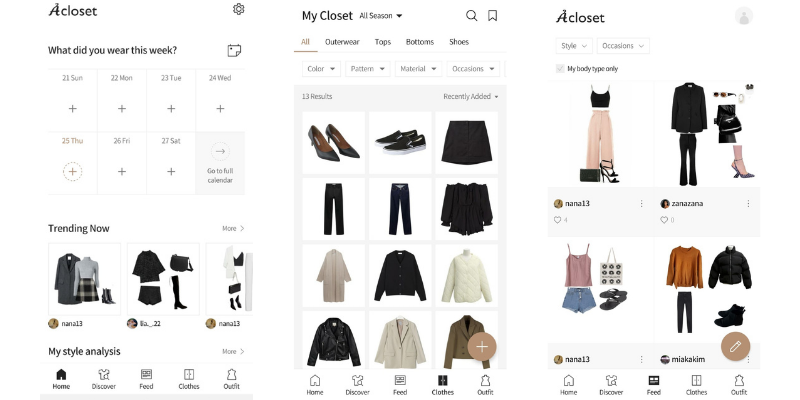
Acloset is one of the most ND-friendly options when energy is limited. It’s AI-powered, so tread carefully. While automation is helpful, it can also be tricky to use. Sometimes it disappoints.
Adding Items
⏱ Time per item: ~10–30 seconds. Manual uploads OR automatic imports from email receipts.
Auto-Upload Purchases?
✅ Yes! Simply connect your email and it pulls purchases automatically. You can turn this off if that feels intrusive.
Photo Help?
✅ Yes! Automatic background removal makes for clean visuals.
Analytics / Insights
✅ Some free: Track outfit usage, plan outfits, basic stats
💰 Paid tier unlocks AI suggestions, advanced planning
Free vs Paid
🆓 Free:
Closet uploads
Email receipt imports
Background removal
Outfit planning
💰 Paid:
Advanced stats
AI outfit suggestions
Expanded planning tools
Upload Limits
100 items on free tier. Multiple wardrobe app reviews (and community reports) confirm Acloset caps free users at about 100 items. After that, you must subscribe to keep adding items.
👉 That means if your closet is bigger than a small capsule, you’ll hit this limit fast unless you pay.
ND Reality Check
This app reduces friction significantly—but you may need to clean up incorrect imports occasionally.
Pros
Email automation
Very fast setup
Minimal decision-making
Great for low spoons
Cons
Uses AI, and we all know how detrimental that is to our planet
Automation isn’t perfect
Less customization
Requires inbox access

Open Wardrobe
Best for: Outfit repeaters & sustainability-minded users
Open Wardrobe encourages wearing what you already own—on purpose.
Adding Items
⏱ Time per item: ~30–60 seconds. Manual uploads with simple tagging.
Auto-Upload Purchases?
❌ No.
Photo Help?
🟡 Minimal - Basic editing only. No strong background removal.
Analytics / Insights
💰 Mostly paid.
Free: Closet creation, outfit tracking
Paid: Detailed stats, wear insights, style recommendations
Free vs Paid
🆓 Free: Closet creation, outfit tracking
💰 Paid: Advanced analytics, styling tools
Upload Limits
No widely documented limit. There’s no clear official cap for how many items you can add to Open Wardrobe — users have reported adding 400+ items without issue. Open Wardrobe tends to feel more like “real closet sized” without artificial caps, though advanced analytics/stats may still be subscription‑wrapped.
ND Reality Check
This one is calm and intentional—but manual-only entry may slow momentum.
Pros
Sustainability focus
Simple interface
Outfit repetition encouraged
Cons
No automation
Limited photo tools
Not ideal for large wardrobes
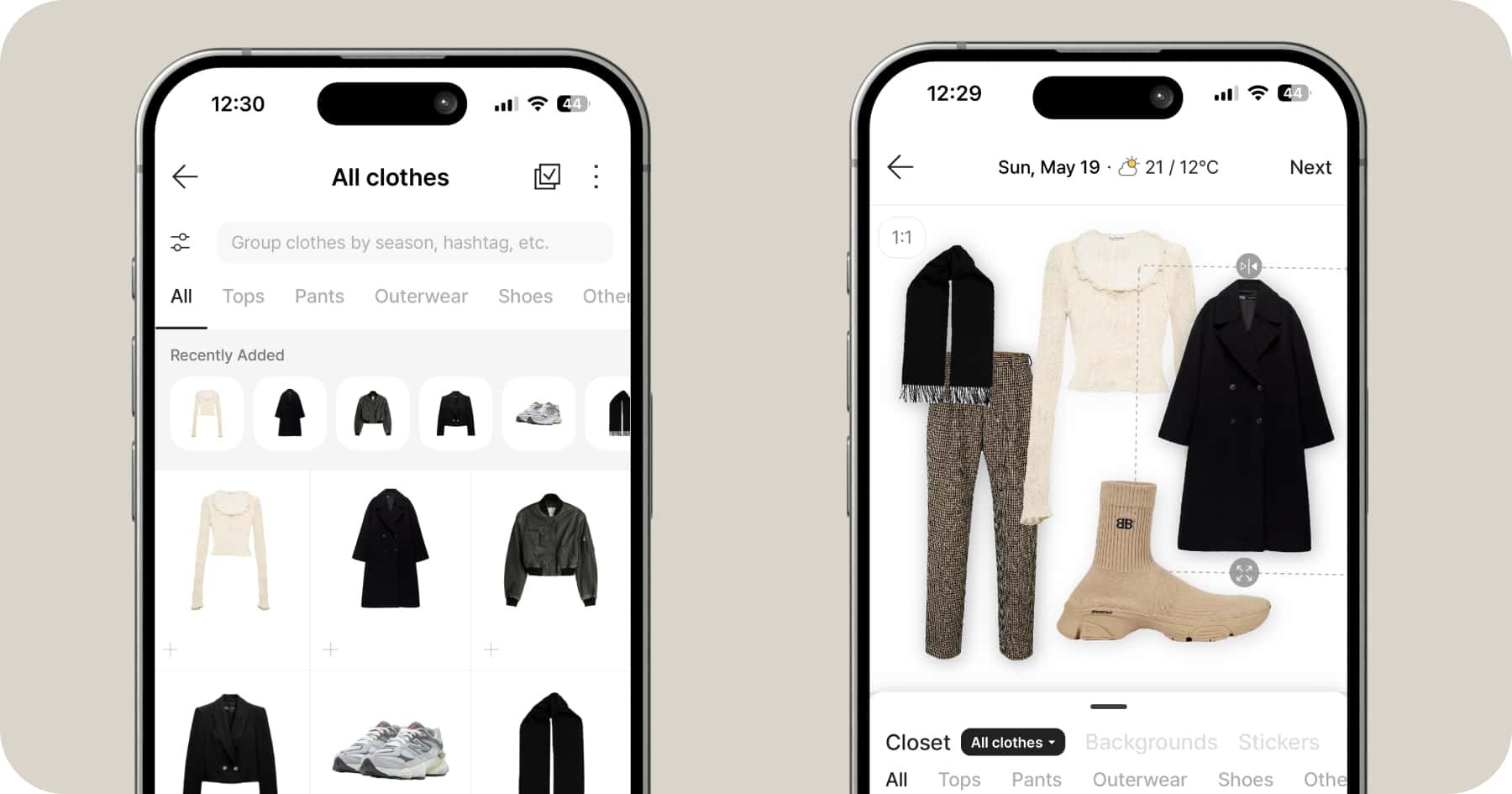

Cladwell
Best for: Capsule wardrobes & decision fatigue
Cladwell focuses on wearing clothes, not cataloging endlessly.
Adding Items
⏱ Time per item: ~30 seconds. You can use stock images, which saves time.
Auto-Upload Purchases?
❌ No
Photo Help?
🟡 Stock images help, but real-life accuracy varies.
Analytics / Insights
💰 Subscription required for full stats (like wear tracking, daily outfit suggestions)
Free vs Paid
🆓 Free (very limited):
Small capsule trial
💰 Paid subscription required for:
Daily outfit suggestions
Full closet access
Weather-based recommendations
Upload Limits
Limited on free (trial‑like) tier. Cladwell’s free access is more like a trial, and full closet access does require subscribing. While it’s not typically listed as a hard inventory cap, the free tier lets you only upload a small sample wardrobe before encouraging you to subscribe for full use.
👉 Think of free as “try this with a tiny wardrobe first,” then unlock unlimited closet space with subscription.
ND Reality Check
Cladwell shines if decision-making exhausts you. It gives outfit suggestions based on weather and lifestyle—but may feel limiting if you like variety.
Pros
Daily outfit suggestions
Reduces decision fatigue
Capsule-focused
Cons
Subscription required
Less flexibility
Not trend- or volume-friendly
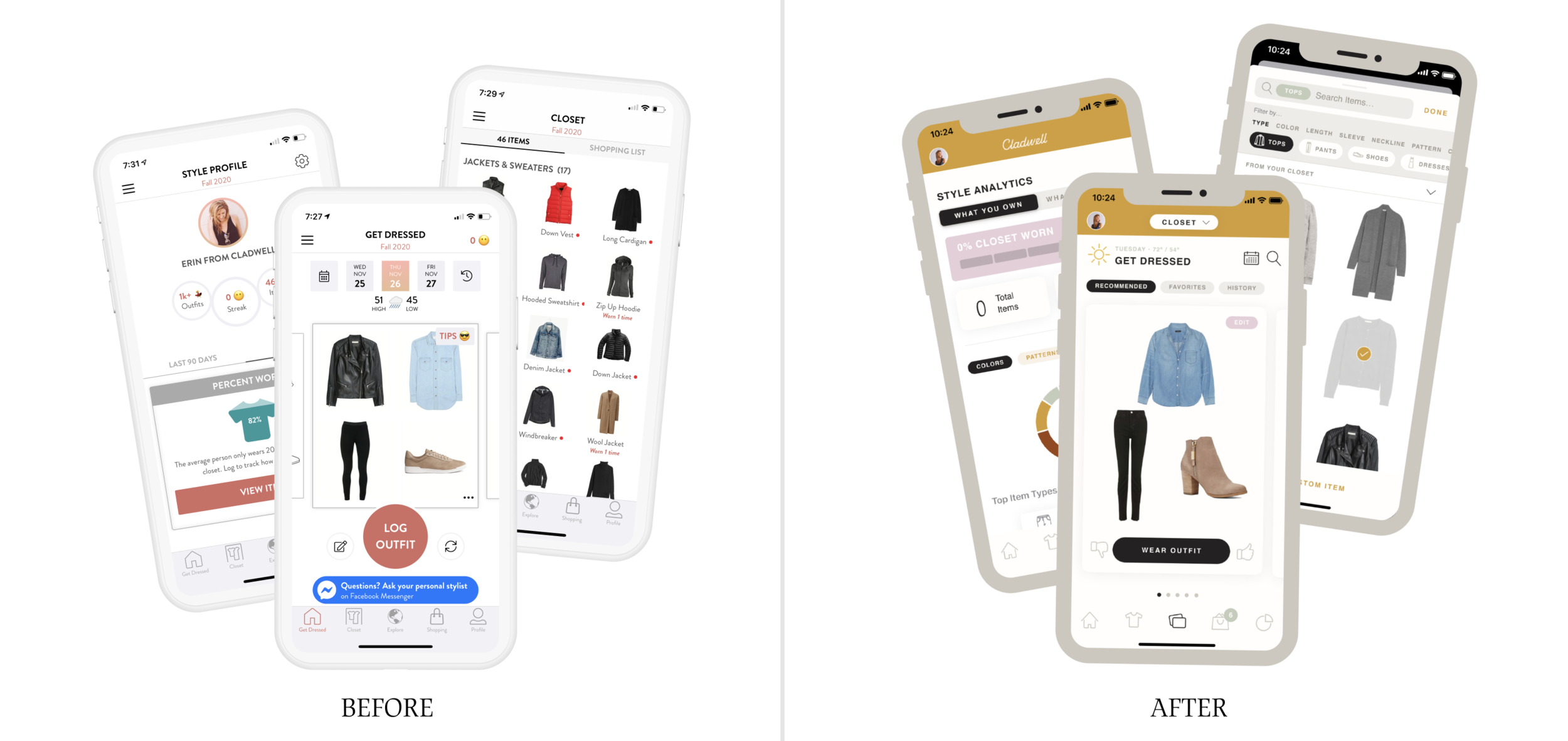

Indyx
Best for: Luxury closets, social stylists, & resale-minded users
Indyx is more concierge-style and often used alongside stylists. If you love fashion and styling, this one's perfect for you! Another cool part of this one is that is adds a social factor that other closet apps don’t tend to have. You can make your closet public, and by doing so, you’ll be able to see other people’s closets, too - and style them using the clothes in their closet! It’s so much fun!
This is the one I personally use and love!
Adding Items
⏱ Time per item: ~1 minute. Faster if you use their support services. For $295, someone from Indyx will come to your home and upload your closet without you having to lift a finger (limit of 100+ items over 5 hours).
Auto-Upload Purchases?
🟡 Partial. Some integrations exist, but it’s not fully automated for most users. They just added new features where it will upload new purchases from your email or you can send it a link and it’ll auto-populate your new item’s information!
Photo Help?
✅ Yes! Polished visuals and automatic background removal makes all your images look great.
Analytics / Insights
💰 Most features are behind a paywall.
Free: Basic closet tracking
Paid: Styling insights, resale stats, advanced suggestions, professional styling, repairs and alterations
Free vs Paid
🆓 Free: Basic tracking
$ Paid: Analytics, styling, resale assistance
Upload Limits
Unlimited!
ND Reality Check
This is a great option if you want support and a social factor—but it can feel inaccessible price-wise.
Pros
High-end feel and clean visuals
Styling support
Resale integration
Allows you to be social and style other people’s closets
Excellent photo support
Cons
Limited free features (analytics are subscription only)
Less DIY-friendly
Subscription model
May feel excessive for casual users
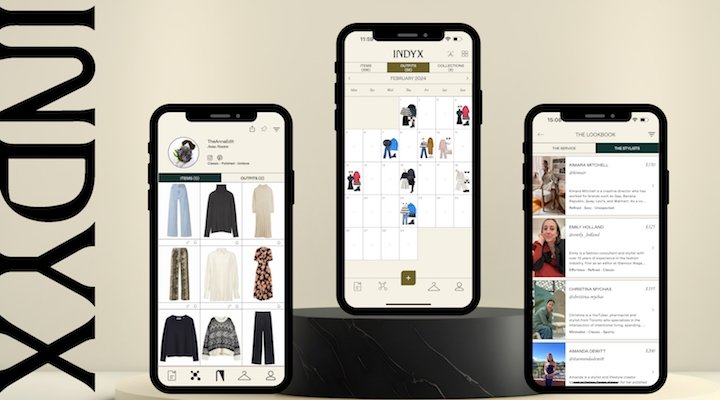

Clozzie
Best for: Inventory brains & multi-location tracking
Clozzie is about knowing what you own and where it is.
Adding Items
⏱ Time per item: ~1–2 minutes. Manual, detail-heavy entry.
Auto-Upload Purchases?
❌ No
Photo Help?
❌ Minimal. When I say photo help is minimal in the Clozzie app, I mean:
You can upload or take photos, but that’s mostly it
There’s little to no guidance on how to photograph items (lighting, angles, framing)
Very limited editing tools—no strong crop help, styling guidance, or cleanup tools
You’re responsible for getting clean, consistent photos on your own before or during upload
In short: Clozzie stores your photos well, but it doesn’t help you create good ones.
Analytics / Insights
💰 Paid only
Free: Basic item tracking
Paid: Full inventory analytics, location tracking
Free vs Paid
🆓 Free: Limited item tracking
💰 Paid: Advanced inventory features, analytics
Upload Limits
No widely published cap. Clozzie doesn’t publicly list a free upload limit — and no “you’ve hit your max” message appears in official FAQs. In practice, it feels open‑ended, but advanced features (like rich analytics or multi‑location inventory) are reserved for paid tiers.
👉 Good if inventory tracking matters; unlimited uploads appear supported, but analytics cost extra.
ND Reality Check
Great for people who want to know where things are—not necessarily what to wear.
Pros
Strong inventory management
Good for multiple locations
Detailed records
Cons
Manual-heavy and detailed
Not visual
Not styling-focused
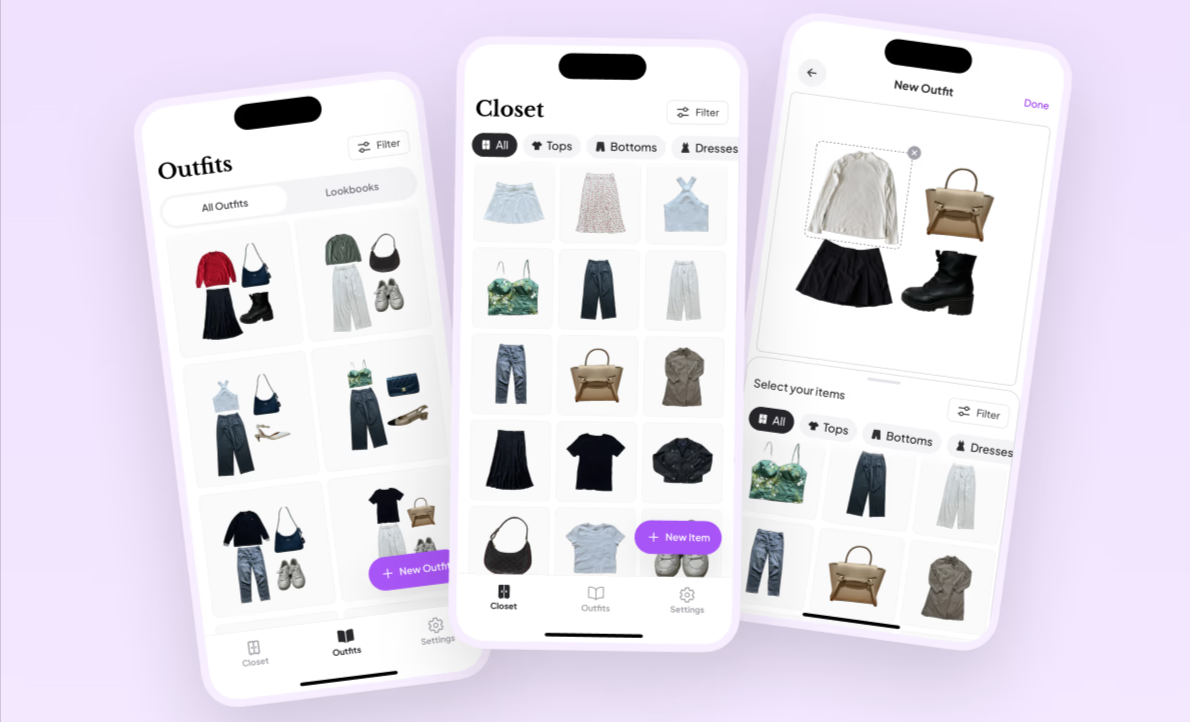
Pureple
Best for: People who want strong outfit planning suggestions + a flexible wardrobe tool, with a generous free tier
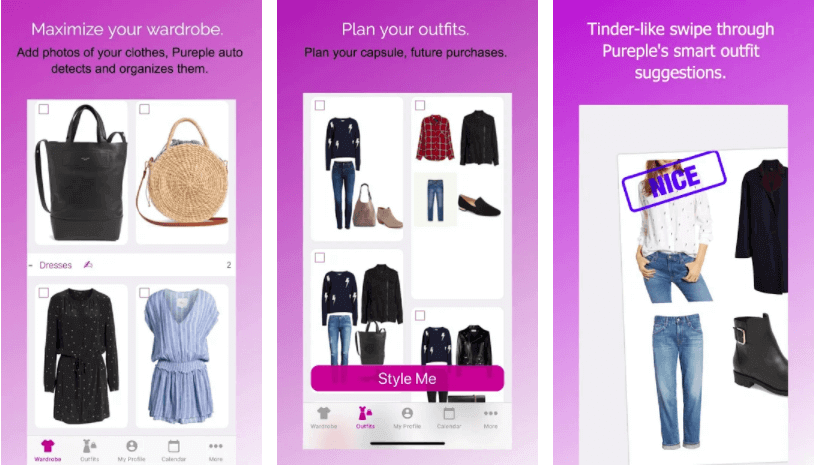
Pureple is a closet organizer + outfit planner that’s more style-suggestion-forward than ideal for pure inventory tracking. It lets you build your digital wardrobe, get outfit ideas, and plan looks — with many features available for free.
Adding Items
You can add items by taking photos, importing from web sources, and editing multiple items at once.
Auto-Upload Purchases?
❌ No — Pureple does not auto-import purchases from email receipts or retail confirmation emails.
Photo Help?
✅ Automatic background removal and crop tools help give your closet a clean look.
Analytics / Insights
✔️ Basic wear tracking, outfit history, and wardrobe insights are possible — but more advanced stats (like cost-per-wear or deeper analytics) may require upgrading to premium.
Free vs Paid
🆓 Free:
Unlimited item uploads in most reports
Outfit planning
Basic calendar and packing lists
AI-based suggestions and lookbooks
🔒 Paid (optional premium):
Multi-device sync & cloud backup
Ad-free experience
Enhanced outfit insights
Virtual AI try-on features
Pricing varies (monthly, yearly, even weekly options exist):~$6.99/week
~$14.99/month
~$89.99/year
Upload Limits
❌ There’s no widely reported hard cap on how many items you can add in the free version — users and official descriptions suggest you can add clothes, shoes, accessories, and more with no forced limit.
ND Reality Check
Pureple is visual and creative — great for anyone who likes outfit suggestions and planning. However, the UI can feel a bit chaotic, and its outfit AI isn’t perfect. Some users report ads and occasional glitches in the free experience, though it’s still usable.
Pros
Strong outfit suggestions and planning tools
Generous free tier
Unlimited item uploads reported
Automatic categorization and bulk editing tools
Cons
Paid features include cloud sync, ad removal, and some analytics
Outfit AI and UX can feel glitchy to some users
No automatic purchase import
So… Which One Should You Choose?
If your brain says:
“Please automate this” → Acloset
“Make it pretty or I won’t use it” → Whering
“Give me structure and stats” → Stylebook
“Tell me what to wear” → Cladwell
“I want help, not homework” → Indyx
“I want outfit ideas without overthinking it” → Pureple
And if none of these feel right? That’s okay too. Apps are tools—not moral obligations. There are also custom solutions out there ;)
🧠 ND-Friendly Permission Slip
✨ You don’t have to upload every item to see value
✨ Screenshots and batch imports are valid
✨ Apps are tools, not rules
✨ If it stresses you out, it’s okay to stop
Final Organizer Truth 💛
There’s no single “best” app — only the one that fits your brain, your energy, and your lifestyle. Some are great for visual outfit inspiration (Pureple), some are powerful for analytics (Stylebook), and others are best for low-friction automation (Acloset).
💛Sammie
Think Outside the Closet
Organizing for real brains. Always.
If you want help simplifying your closet without turning it into another exhausting project, I’m here. We’re proud to offer wardrobe curation through all of the apps listed above and custom options as well.